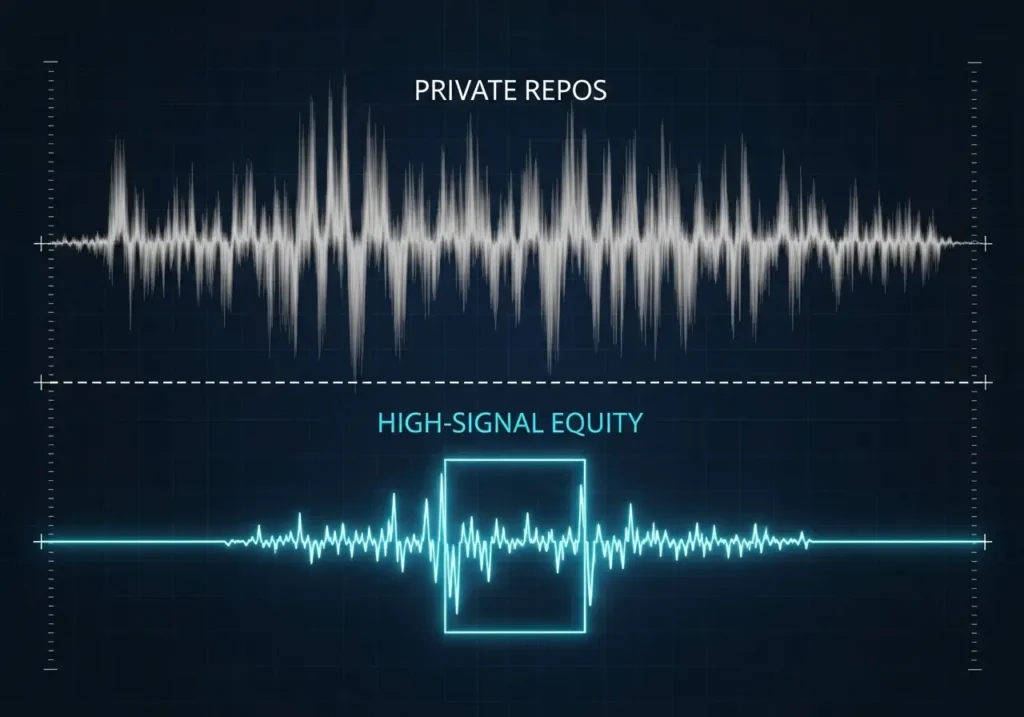

Sooner or later, there’s a moment every developer hits. Usually, it shows up somewhere between writing great code and wondering why no one seems to notice. You’ve built something clever, maybe even beautiful, but it’s buried in a repo, seen by three people and a rubber duck. You scroll past creators online and think, I could share what I’m building too… if I just had the time, the clarity, the system. That thought doesn’t go away. It’s the quiet itch of unrealised potential — the beginning of your conflict.
Because the truth is, the skills that make you a great developer don’t automatically make you a visible one. You can debug an API in minutes, but feel lost writing a blog post about it. You can build apps that solve real problems, but freeze the moment you try to explain why they matter. It’s not a lack of ability — it’s that no one ever taught you how to turn what you build into something people can see, learn from, and connect with.
That’s the turning point — when you stop asking, “How do I get people to notice?” and start asking, “How do I teach what I know?” It’s not about chasing followers or fame; it’s about building a bridge between your work and the world. The conflict isn’t between you and your code — it’s between your potential and your visibility.
Here’s where your story changes. Digital Creator World exists to help you cross that gap — to publish what you build, share your lessons, and grow as a digital creator. Not through hacks or hype, but through clarity, consistency, and purpose. This isn’t about turning you into an influencer. It’s about helping you become a teacher, a builder, and a guide for the next generation of developers.
You’re already writing stories in logic and syntax. Now it’s time to write them in words and pixels — and let the world see what you’ve been creating all along.
Turn Projects into Case Studies (Not Portfolios)

Most developers treat portfolios like photo albums — neat grids of finished work, code snippets, and screenshots that quietly whisper, “Look what I’ve built.” But the truth is, recruiters aren’t impressed by walls of projects anymore. They’re not trying to admire your syntax; they’re trying to predict your judgment. They want to know how you think — not just what you made.
That’s why the smartest developers no longer build portfolios; they write case studies. A case study reframes your work from a personal trophy to a professional story — one that explains the problem you faced, the reasoning behind your decisions, and the impact of your solution. It’s how you transform from “a developer who can code” into “a problem-solver who can think.” That shift — subtle but profound — instantly changes how recruiters perceive you.
The benefits of this approach run deeper than aesthetics. When you tell the story behind a project, you show three things: context, clarity, and communication. You reveal that you can identify real problems, design effective solutions, and articulate your reasoning — all essential traits of senior engineers and team players. It’s not just about showcasing results; it’s about proving your ability to reason under pressure. A recruiter can’t infer that from a GitHub link alone.
Practically, this isn’t difficult — but it does require intention. Start by picking one project that solved a real problem, even a small one. Then structure it like a short story: Problem → Process → Result. Describe the challenge, your decision-making, and what changed because of your solution. Add supporting visuals — a before-and-after screenshot, a quick architecture sketch, or a 30 second GIF demo — to make it tangible. Write it up in Notion, Obsidian, or Google Docs first, then publish it on your personal site or developer blog. Tools like Hashnode or Dev.to make it easy to get started.
Beginners can focus on what they’ve learned and how they’ve grown — recruiters respect curiosity and reflection more than perfection. Intermediate developers should highlight trade-offs and decision logic: Why did you pick React over Vue, or REST over GraphQL? Advanced developers, on the other hand, should focus on measurable outcomes — performance improvements, adoption metrics, or design scalability. These details signal maturity and impact. And if you’re unsure what to include, anchor your writing in comparison: show what existed before your work and what’s different after.
Start small. Take a single project and write a short, 500-word reflection — just enough to explain what you tried, what worked, and what didn’t. Don’t overthink it. This isn’t a résumé — it’s your thinking, in public. Once you’ve done that, experiment with formats. Maybe a written post gets you comments; maybe a narrated walkthrough gets more recruiter messages. Track what resonates, then double down. The more you share your process, the more your career story writes itself — one case study at a time.
Write the Case Study You’d Want to Read

Too often, developers only present what they built — static screenshots, links, and technical checklists — instead of the story behind it. But recruiters aren’t hiring for finished code; they’re hiring for clear thinking. They want to understand how you solve problems, make trade-offs, and reflect on what you’ve learned. That’s why the best developers don’t just post projects — they write case studies.
A great case study turns your portfolio from a gallery into a guided tour of your decision-making. It shows how you debug under pressure, design for constraints, and evolve your reasoning over time. Anyone can write code; few can articulate judgment. When you write the kind of case study you’d actually want to read, you prove that you’re not just technically capable — you’re thoughtful, structured, and self-aware. That’s the quality every hiring manager is scanning for, even if they don’t say it outright.
The value of doing this compounds. One well-written case study becomes proof of credibility, authority, and maturity. It makes recruiters feel like they’ve seen you work without having to watch you code. It also builds long-term assets — each write-up can double as interview prep, newsletter content, or a blog post that positions you as a developer who not only builds, but teaches through their experience.
Structurally, this isn’t complicated. Choose one meaningful project — something that solved a real problem or taught you something significant. Then break it into four short parts: Problem (what were you trying to solve?), Approach (how did you tackle it?), Outcome (what worked or failed?), and Reflection (what did you learn?). Add visuals — a code snippet, a screenshot, a diagram — to bring it to life. Host it on your blog or GitHub Pages, and link it prominently in your portfolio.
For beginners, start small: even a weekend project counts if you explain what you discovered. Growth-stage creators should document their decision-making and include measurable results. Advanced developers can turn their case studies into full-fledged thought-leadership pieces — blog posts, newsletter editions, or video breakdowns that blend insight with storytelling polish.
Start with one. Write about the project that taught you the most — not the one that looks the flashiest. Publish your draft, then ask a friend, “What did you learn about me from reading this?” If their answer matches what you hoped to communicate, you’re on the right track. Over time, this habit transforms your work into something far greater than a portfolio — it becomes a narrative of growth, reflection, and mastery.
Record Short Demo Videos That Tell the Story

Many developers overlook the true strength of their voice — not in code, but in conversation. Recruiters scroll through walls of GitHub links and static screenshots every day, each one blurring into the next. But when they click a short demo video — and hear you explain your thought process as your project comes alive on screen — everything changes. In that moment, your work stops being code and starts being communication.
A demo video isn’t about cinematic polish or perfect delivery. It’s about clarity — showing that you can build something useful and explain it simply. In a world where most developers hide behind commits and documentation, the one who can confidently walk through their project becomes memorable. Recruiters trust what they can see and hear. A short, well-told walkthrough turns curiosity into conviction: “This person gets it.”
Practically, it’s easier than you think. You don’t need a studio setup — just a screen recorder like Loom, OBS, or CleanShot X, and a plan. Keep it under 90 seconds. Start by introducing what the project does, then share why you built it, and end with what makes it interesting or useful. Use captions or callouts to highlight key moments. Upload it to YouTube (unlisted if you prefer) or embed it directly into your README or portfolio. Forget flashy editing — clarity beats polish every time.
For beginners, focus on enthusiasm and honesty. A simple screen recording where you talk through your app — even with a few “ums” — shows authenticity. It proves you understand what you built and why it matters. For advanced developers, treat your demo like a product pitch. Lead with your results: “This optimization reduced load time by 40%” or “This backend scales to 10,000 requests per second.” Use a decent mic, speak with confidence, and guide the viewer through your reasoning.
If you want to improve fast, script just your first 20 seconds. That’s when people decide whether to keep watching. End with a clear next step — “Repo link below,” “Docs in README,” or “Here’s how you can test it.” The goal isn’t to perform; it’s to communicate. Each video you make will sharpen your storytelling instincts and reveal how your thinking sounds when spoken aloud — an underrated superpower in interviews and collaborations alike.
And if the idea of recording feels awkward, start with a private recording. Record yourself explaining your project as if teaching a friend. Watch it back. You’ll instantly see what parts of your explanation are clear and what parts lose energy. That feedback loop is priceless. Then, when you’re ready, publish it. Even if only ten people watch, one might be the recruiter who finally sees your work for what it really is — thoughtful, working, and alive.
Because the truth is, your code already tells a story. But until you give it a voice, no one else can hear it.
Make Your Code Instantly Usable

There’s a quiet art to making your work feel effortless. Most developers think their code speaks for itself — that a neat README or well-structured repo will do the talking. But the reality is harsher: recruiters don’t have time to install dependencies or debug a stranger’s setup just to see if something runs. They skim, glance, and move on. Your brilliance, lost behind a missing .env or broken demo, never gets the chance to be seen.
That’s why the developers who stand out are the ones who remove friction before it starts. They don’t just build code; they build experiences. A one-click demo — running live in CodeSandbox, StackBlitz, or Replit — turns what could’ve been a dead folder into an interactive story. It tells recruiters, “I think about usability. I care about your time. And I finish what I start.” That single shift — from “look at my repo” to “try it now” — changes how people perceive your professionalism.
The benefits ripple far beyond first impressions. When someone can use your project instantly, they engage longer. They explore. They remember you. It’s not just a polished presentation — it’s a subtle act of empathy, proof that you think like a product-minded engineer rather than a code hobbyist. A live demo signals craftsmanship and clarity. And practically, it’s not hard to set up. Import your repo into a cloud IDE that fits your stack, clean up the noise — console logs, unused assets, outdated packages — and test it in incognito mode to make sure it runs with one click. Add a bold demo link in your README (“👉 Try it live”), and you’ve already leapt ahead of 90% of applicants.
For beginners, don’t overcomplicate it. Even a simple To-Do app feels impressive when it loads instantly and works without setup. Use templates from CodeSandbox to learn how deployment and environment variables work. For advanced developers, treat it like a product launch. Add extras such as live APIs, test automation, or Lighthouse scores to demonstrate performance awareness. Include a short technical write-up in your README explaining key architectural decisions — recruiters love understanding why you built something a certain way.
And here’s the truth most developers learn too late: perfection is overrated. Polish is just proof you cared. A functional, instantly usable project beats a brilliant idea that won’t run on other machines. Start with one project this week — get it live, share it on your portfolio or LinkedIn, and watch what happens. People will click. They’ll interact. And you’ll see, in real time, how usability turns into visibility.
Because when you make your code instantly usable, you’re not just building for recruiters — you’re building for connection. You’re saying, “Here, see what I made — no setup required.” And that’s the moment your work stops hiding in a repo and starts living in the world.
Treat Your README Like a Landing Page

Every developer has that moment — when they open their own GitHub repo and realise the README is nothing but a few dry lines of text. No context, no visuals, no heartbeat. Just instructions written for a future self who might never return. Yet that tiny file, sitting quietly at the top of your project, is the first thing anyone will ever read about your work. It’s your front door — and most of us leave it half open, unlit, and uninviting. The irony is that you can spend weeks perfecting code that solves a real problem, and still be overlooked because you didn’t tell the story of what you built.
The best developers eventually learn that storytelling isn’t a marketing trick — it’s a clarity tool. A great README doesn’t sell; it guides. It answers the three unspoken questions every recruiter or collaborator has: What does this project do? Why does it matter? And how can I use it? When you treat your README like a landing page, you shift from showing code to communicating value. You make your project feel alive — visual, scannable, outcome-driven. A clear headline, a short description, a screenshot or GIF, and a brief “why it matters” paragraph can do more for your visibility than any technical deep-dive ever will. It’s not about dumbing down your work; it’s about opening the door wide enough for others to step in.
The practical side is deceptively simple. Start with your proudest project — the one that represents how you think. Give it a proper headline, something that explains the value in one breath: “A lightweight API for real-time weather visualisation” reads better than “weather-app-v3.” Add a GIF or screenshot that shows the result, not just the interface. Then walk the reader through your thinking — what problem it solves, how it works, and what impact it had. Close with setup instructions, live demo links, and outcomes or metrics. Tools like Shields.io can add credibility with badges; screen recorders like Loom can embed short demos. In under an hour, you can transform a silent repo into a story that speaks.
Beginners can lean on templates — structure and visuals matter more than polish at first. Focus on clarity: what you built, why you built it, and what you learned. Intermediate developers can start adding data and context — maybe how performance improved or what trade-offs were made. Advanced developers, meanwhile, can treat READMEs like case studies: integrate CI/CD pipelines, analytics, and live dashboards to show mastery and foresight. The goal isn’t to impress — it’s to communicate with intent, to let your professionalism show through structure and care.
And here’s the real shift: once you rewrite one README this way, you start seeing storytelling everywhere. In commit messages, in pull requests, and even in the way you explain ideas during interviews. A README isn’t just documentation — it’s a mirror of your thinking. So take one project today and ask yourself, if this were a product, would I want to use it? If not, treat it like one. Because every recruiter, every collaborator, every opportunity begins with a glance — and your README is often the only sentence they’ll ever read. Make it count.
Lead With Fewer, Deeper Projects

At some point, every GitHub turns into a graveyard: half-finished apps, forgotten experiments, blurred side projects. At first, it feels like progress: more repos must mean more proof of skill. But when you zoom out, the pattern becomes clear — you’re showing effort, not direction. Recruiters don’t see ten good starts; they see a lack of focus. The irony is that in trying to impress with volume, most developers end up diluting their signal. The best developers do the opposite: they lead with fewer projects, but each one runs deep enough to reveal how they think, how they build, and how they finish.
Depth, not variety, is what recruiters and collaborators remember. One polished project — documented clearly, reproducible, measurable in its results — communicates more about your capability than five unfinished experiments ever could. It signals judgment: that you know what matters, when to stop polishing, and how to tell the story of your work. That’s the difference between looking busy and looking credible. A curated portfolio of two or three flagship projects reads like a deliberate narrative rather than a random collection of attempts. It says, “I know who I am as a developer,” which is one of the strongest messages you can send in a noisy field.
The practical side begins with an honest audit. Open your GitHub, Notion, or whatever system you track projects in, and ask: Which of these genuinely represents how I think? Pick two or three that best demonstrate end-to-end ownership — idea, design, execution, and reflection. Make them reproducible. Write clear setup steps, record a short demo, and include a live link or deployment if possible. Add measurable impact wherever you can — even simple metrics like performance gains, users reached, or problems solved. The goal isn’t perfection; it’s completeness. Each flagship project should feel like something you’d be proud to walk a recruiter through live. Treat it like a story, not a storage folder.
Beginners should focus on clarity and growth: choose one small project that taught you something meaningful and document the lesson you learned from it. It’s better to show depth in one place than surface-level dabbling in ten. Intermediate developers can highlight trade-offs and reasoning — the “why” behind their technical decisions. Senior developers should emphasize measurable outcomes and architectural thinking: how they designed for scalability, performance, or maintainability. The audience might differ by experience, but the core principle remains the same — curation is confidence. Knowing what not to show is a skill that separates professionals from amateurs.
The shift is liberating once you try it. Start by hiding everything except your top two projects and see how your portfolio feels. Suddenly, there’s breathing room — focus, clarity, identity. Then polish those two until they truly represent your craft. Ask a friend or mentor for feedback: “If you only saw these, what kind of developer would you think I am?” Their answer will reveal exactly where to improve. This process isn’t about less ambition — it’s about more intention. Because when you stop spreading your energy thin and start going deeper, your work becomes undeniable. It starts speaking with authority, not just activity. And that’s when people finally begin to listen.
Prove You Can Collaborate, Not Just Code

Usually, developers start alone: midnight commits, headphones, caffeine, and code. Peaceful. Meditative. But somewhere along the way, you realise that coding in isolation can only take you so far. You’ve built things you’re proud of, yet when a recruiter looks at your GitHub, it still feels like a museum of solo work. Beautiful artefacts, but silent ones. What’s missing isn’t skill — it’s connection. Because in the real world, code doesn’t live alone. It lives in teams, reviews, and conversations. And the developers who rise fastest aren’t just the ones who write great code — they’re the ones who make other people better by doing it.
Collaboration is the invisible differentiator most portfolios overlook. Recruiters and hiring managers aren’t looking for lone geniuses; they’re looking for reliable teammates. When they scroll through your activity feed and see discussions on pull requests, thoughtful feedback in issues, or merged contributions to open-source projects, a subtle shift happens in their mind: “This person doesn’t just build — they belong.” That single impression transforms your profile from a gallery of technical ability into proof of professional readiness. It signals maturity, communication, and trustworthiness — three qualities that no résumé bullet can fake.
Practically, this doesn’t require a massive leap. Start small. Find an open-source project you already use — a library, a framework, a tiny tool that made your life easier — and give something back. Fix a typo in the README. Add a test. Review a pull request with a helpful comment. You don’t have to architect a new feature to prove you can collaborate; you just have to show you understand the rhythm of teamwork. Tag contributors in your repos, mention roles you played (“frontend lead,” “API design,” “testing”), and document how you worked with others — what you discussed, how you resolved conflicts, what you learned. Those small signals tell a recruiter everything they need to know: that you can code with people, not just around them.
Beginners often think they have nothing to offer yet — but the truth is, collaboration isn’t about seniority, it’s about curiosity. Join communities like First Timers Only, Up For Grabs, or EddieHub, where small contributions are encouraged. Update documentation, fix linting issues, or improve examples. Each act teaches workflow, etiquette, and review culture. For intermediate developers, go deeper: contribute meaningfully to established projects with high standards, or co-maintain a small repo with friends. Advanced developers can showcase leadership by mentoring new contributors, managing issues, or writing blog posts reflecting on the lessons learned from teamwork. Each level has its own proof of collaboration — the key is consistency, not scale.
And yes, collaboration can feel awkward at first. Opening your first pull request is like knocking on a stranger’s door, hoping you don’t break anything. But that discomfort is exactly where growth lives. Every comment you write, every small fix you push, builds your public proof of reliability — the quiet credibility that can’t be faked or inflated. So here’s your challenge: pick one open-source repo you’ve benefited from. Find an issue labelled “good first issue.” Fix it, document the process, and add it to your portfolio. In a few weeks, your GitHub graph won’t just show activity — it’ll tell a story of initiative, teamwork, and connection.
Because when recruiters see that, they don’t just see code. They see someone who knows how to belong to a team — and that’s who they hire.
Add Signals That Reduce Risk for Recruiters

Every recruiter you’ll ever meet is quietly doing one thing — managing risk. Behind every hiring decision is the same silent calculation: Can I trust this person to deliver without breaking things? You might see your portfolio as a showcase of creativity, but they see it as a test of reliability. And in a world where a bad hire can cost months of lost time, the developers who win aren’t just the ones who build cool projects — they’re the ones who make trust visible.
That’s why subtle technical details matter more than most people realise. CI/CD badges, test coverage, version tags, deployment logs — they might look like decorations, but they’re really proof. Proof that your work doesn’t just exist, it runs. Proof that you think about the boring but vital stuff — consistency, maintainability, process. These signals are quiet, but powerful. They say, “I’m not just building for me; I’m building for teams, systems, and longevity.” And that message changes how you’re seen. Suddenly, you’re not just another coder — you’re someone who can be trusted with production.
The good news is, implementing this is simpler than it sounds. Start by adding continuous integration to one project using GitHub Actions, Travis, or CircleCI. Let it automatically run your tests on each commit — even a single passing check creates a visible badge of discipline. Add version tags using semantic versioning (v1.0.0, v1.1.0), and write a simple changelog to track updates. Use tools like Codecov to display coverage and Shields.io to add clean, readable status icons in your README. Each of these takes minutes, but together, they build a portfolio that feels alive. A recruiter shouldn’t have to open your code to see you care about reliability — it should radiate from the surface.
The focus shifts slightly depending on where you are in your journey. Beginners can start with one polished project that runs tests automatically — that alone sets you apart. Growth-stage developers can document their full deployment flow: “Tests run on push, staging deploys on merge.” Advanced developers can go deeper — share uptime stats, automated rollback setups, or even brief write-ups about how your pipeline improved delivery speed or reduced bugs. These aren’t bragging points; they’re evidence of engineering maturity. And recruiters, more than anything, are drawn to patterns of maturity.
Start small. Add one badge, one test, one tag. Then watch how differently your portfolio feels — and how differently people respond to it. You’ll realise that reliability isn’t something you claim; it’s something you show. Each of these quiet details becomes a promise: that your work is stable, that your process is deliberate, that you finish what you start. And in a market full of uncertainty, that’s the rarest — and most valuable — signal you can send.
Because when you build trust into your code, you don’t need to shout about your skills. Your work does the talking — and it never stutters.
Final Thoughts
There comes a point when you realise the code isn’t the hard part anymore. The real challenge is deciding whether to keep building quietly in the dark or to step into the light and show what you’ve made. That’s your choice — to stay where it feels safe or to take the risk of being seen. One path protects your comfort; the other amplifies your impact. And like most worthwhile decisions, the cost of inaction quietly compounds until you’re surrounded by half-finished projects that no one ever knew existed.
But when you choose to show your work — to build a portfolio that teaches, not just impresses — something shifts. Opportunities start finding you instead of the other way around. Recruiters see proof, not potential. Fellow developers start learning from you, not just liking your posts. You become part of the ecosystem that once felt out of reach. Visibility stops being self-promotion and becomes service — the natural next step in growth.
This is your new normal: code that speaks for itself, ideas that travel further than you expected, and a quiet confidence that you’ve built something lasting. Start now. Take one project and make it visible. And if you want more stories, insights, tools, and products to help you grow as a digital creator, subscribe to Digital Creator World — so you never have to build in silence again.


Hi, this is a comment.
To get started with moderating, editing, and deleting comments, please visit the Comments screen in the dashboard.
Commenter avatars come from Gravatar.